24-Hour World Time Zone Converter & Meeting Planner
Compare global city times simultaneously, convert world timezones and UNIX timestamps, and find overlapping "Golden Hours" for remote teams.
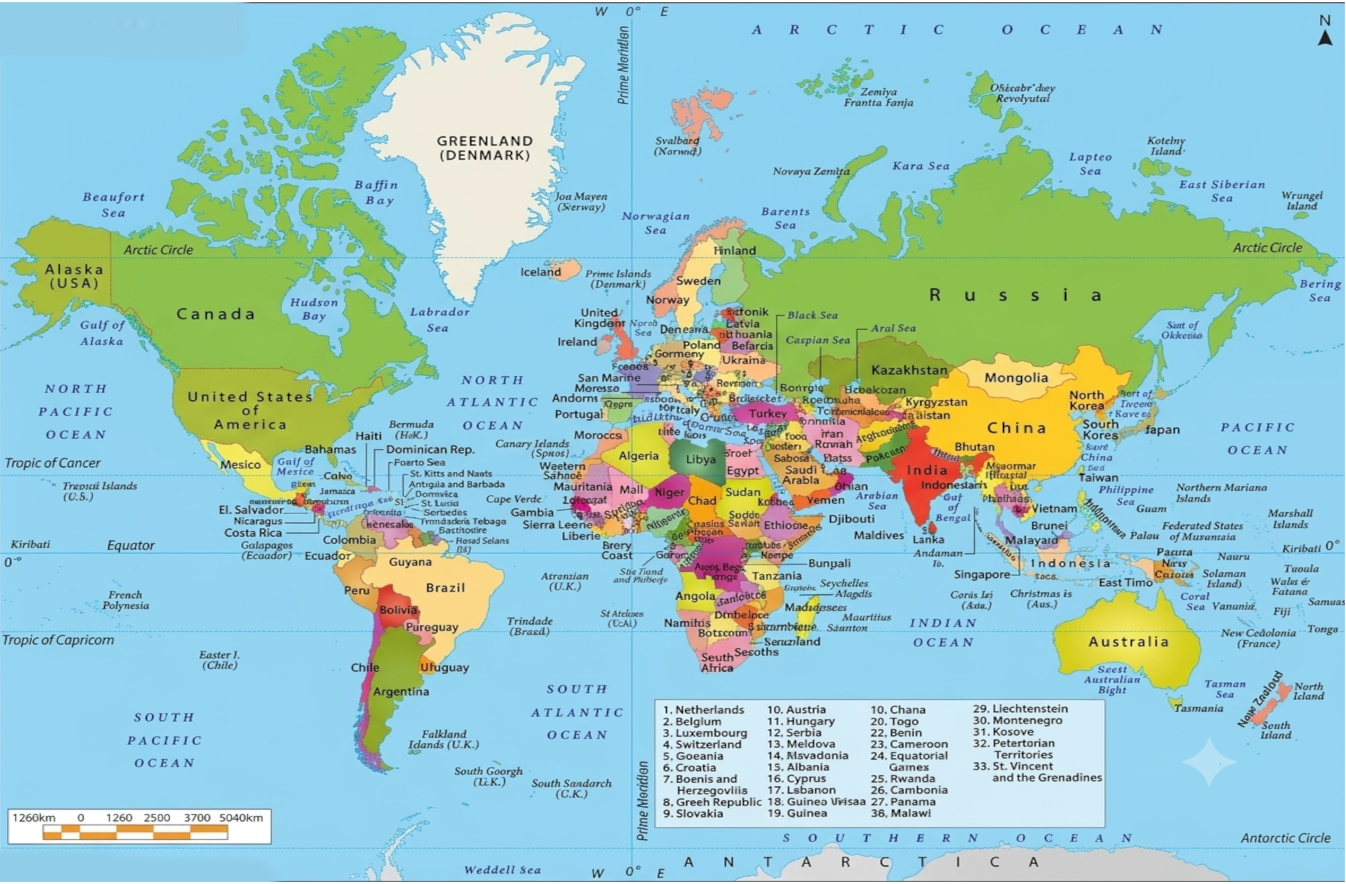
24-Hour World Time Slider & Map
"Golden Hour" Meeting Planner
Global Team Meeting
World clocks — tap to set as destination
Input Date & Time
Input Unix Timestamp
Batch Epoch / Date Inspector
Paste multiple epoch timestamps or date strings (one per line) for instant multi-row parsing.
| Input | Unix (Sec) | UTC ISO String | Local Date / Time |
|---|---|---|---|
| Enter timestamps above to view batch results | |||
How to Get & Convert Unix Epoch in Code
The Year 2038 Problem (Y2038 / Unix Millenium Bug)
On January 19, 2038 at 03:14:07 UTC, the 32-bit signed integer used by legacy systems to store Unix seconds will overflow from 2,147,483,647 to -2,147,483,648 (wrapping around to December 13, 1901). Modern 64-bit systems will not overflow for another 292 billion years.
Epoch Milestone Benchmarks
How It Works
Compare City Times & Timezones
Select multiple world cities (e.g. London, New York, Tokyo) or choose from 38 global timezones (EST, PST, GMT, IST) to view local clocks side by side.
Scrub 24-Hour Timeline & Map
Drag the master timeline slider to inspect daylight shifts across cities, date changes (+1/-1 day), and interactive map pin locations in real time.
Find Golden Overlaps & Schedule
Our algorithm automatically scores availability to highlight Golden Hour windows where all participants are in standard business hours (9 AM – 5 PM).
Convert UNIX Timestamps & Export
Switch to the UNIX converter for epoch & UTC developer calculations, or export scheduled meetings with 1 click to Google Calendar, Outlook, or .ICS.
Explore TimeZoneCal
Frequently Asked Questions
What is a UNIX timestamp and how does the Epoch Converter work?
A UNIX timestamp (or POSIX epoch time) is the total number of seconds that have elapsed since Thursday, 1 January 1970 00:00:00 UTC, excluding leap seconds. TimeZoneCal's UNIX Timestamp Converter provides instant bidirectional translation between epoch timestamps (in seconds or milliseconds), ISO 8601 UTC strings, and human-readable local dates for any timezone.
How does TimeZoneCal convert UNIX timestamps to different city times?
Because UNIX timestamps are globally synchronized to UTC, our converter resolves the exact calendar moment into the target city’s local timezone. It automatically calculates the correct UTC offset and accounts for whether Daylight Saving Time (DST) is active in that specific city or region on that date.
How do Multi-City Time Comparisons work?
Our City Times comparison feature allows you to stack multiple global metropolitan areas—such as London, New York, San Francisco, Tokyo, Sydney, and Mumbai—on a synchronized 24-hour visual grid. As you drag the time scrubber, every city’s local clock, daylight status, and calendar date (+1 or -1 day) update simultaneously.
What is the best meeting time between London, New York, and Tokyo?
For transatlantic corridors like London (UTC+0/+1) and New York (UTC-5/-4), the ideal overlap is 2:00 PM – 5:00 PM London time (9:00 AM – 12:00 PM New York time). For three-way meetings including Tokyo (UTC+9), morning slots around 8:00 AM – 9:00 AM London time match 5:00 PM – 6:00 PM Tokyo time and late evening in the Americas. The Golden Hour Planner automatically calculates and scores these windows for any combination of cities.
How does the World Time Zone Directory and Converter work?
TimeZoneCal includes a comprehensive directory of all 38 primary world timezones, covering standard military, regional, and civilian codes (such as EST, PST, CST, MST, GMT, UTC, BST, CET, CEST, IST, JST, SGT, AEST, and AEDT). You can convert directly between any pair of timezones or explore regional timezone groupings across the Americas, Europe, Asia-Pacific, and Middle East & Africa.
Does TimeZoneCal automatically adjust for Daylight Saving Time (DST)?
Yes. Our conversion engine uses official IANA timezone database definitions and native browser time resolution. It dynamically recognizes seasonal DST transitions (e.g., switching between EST and EDT, GMT and BST, or CET and CEST) so your converted times and calendar exports remain 100% accurate throughout the year.
Why do some timezones have 30-minute or 45-minute offsets from UTC?
While most timezones use whole-hour offsets, several regions established fractional offsets for solar alignment, cultural preferences, or national unity. Examples include India (IST, UTC+5:30), Iran (IRST, UTC+3:30), Afghanistan (AFT, UTC+4:30), Adelaide & Darwin (ACST, UTC+9:30), and Nepal (NPT, UTC+5:45).
How does the 24-hour horizontal timeline slider work?
The 24-hour timeline slider acts as an interactive master controller. Clicking any hour or dragging the scrubber synchronously updates the local time, day difference (+1/-1 day), and working status across all chosen cities, the direct converter, and the interactive political world map.
How does the "Golden Hour" Meeting Planner find overlapping working hours?
The Golden Hour Planner examines the entire 24-hour cycle across all selected participant cities. It assigns visual status tiers (Green for 9 AM–5 PM standard business hours, Yellow for 7–9 AM & 5–8 PM flexible hours, and Slate for night/sleep hours) and automatically ranks the optimal time slots where everyone is during business hours.
Can I export scheduled meetings directly to Google Calendar, Outlook, or Apple Calendar?
Yes! When you select an optimal meeting slot in the Golden Hour Meeting Planner, you can click "Add to Google Calendar" or "Add to Outlook" for an instant pre-populated event link, or click "Download .ICS File" to import the event into Apple Calendar, Microsoft 365, or any standard calendar app.
The All-In-One Global Time Suite: Timezones, City Times & UNIX Timestamps
Coordinating cross-border workflows, scheduling remote team meetings, managing international broadcasts, and timestamping distributed backend events requires fast, dependable accuracy. TimeZoneCal delivers a comprehensive all-in-one platform combining an interactive 24-hour horizontal timeline slider, a dedicated UNIX epoch timestamp calculator, multi-city time difference comparisons, and a full 38 world timezone directory.
1. Simultaneous Multi-City Time Comparisons
Unlike legacy two-city converters, TimeZoneCal allows you to compare multiple international business hubs in parallel—such as London, New York, San Francisco, Tokyo, Sydney, Singapore, Dubai, and Mumbai. As you interact with the timeline or select custom dates, every city’s local clock, relative day offsets (+1 Day or -1 Day), and business hour availability update in real time. Explore dedicated corridor pages like London vs New York and San Francisco vs Tokyo for in-depth scheduling matrices.
2. Comprehensive 38 World Time Zone Directory
Our global timezone directory spans all 38 primary world time standards, including UTC, GMT, EST, EDT, CST, CDT, MST, MDT, PST, PDT, BST, CET, CEST, IST, JST, SGT, AEST, and AEDT. Every timezone profile features precise UTC offset information, current local time, Daylight Saving Time (DST) status, and instant 1-to-1 conversion matrices like EST to IST and PST to GMT.
3. Real-Time UNIX Timestamp & Epoch Calculator for Developers
For software engineers, DevOps specialists, and database administrators, TimeZoneCal features a dedicated UNIX Timestamp Converter. Convert between POSIX epoch seconds (10 digits), JavaScript milliseconds (13 digits), ISO 8601 UTC strings, and human-readable dates with zero latency. It includes a live ticking UTC clock, copyable code snippets for JavaScript, Python, Go, and SQL, and batch conversion capabilities.
4. 24-Hour Visual Timeline Slider & World Map
Eliminate timezone confusion with our synchronized visual scrubber. The 24-hour timeline displays color-coded working hour blocks: Green for Business Hours (9:00 AM – 5:00 PM), Amber for Flexible/Personal Hours, and Slate for Sleep Hours. The accompanying political world map plots live pins for each active city with local time badges and country boundaries.
5. "Golden Hour" Remote Team Meeting Planner & 1-Click Calendar Export
Find the optimal meeting slot across globally distributed teams in seconds. Our algorithm scores every hour of the selected date to identify the best overlapping business windows. Once chosen, export your meeting with a single click to Google Calendar, Outlook, or download a .ICS file for Apple Calendar and desktop clients.
Key Capabilities of TimeZoneCal
- UNIX Epoch & UTC Converter: Real-time conversion between epoch timestamps (seconds/ms), ISO 8601 formats, and local times.
- Multi-City Comparison Hub: Simultaneous schedule alignment for unlimited global cities and high-traffic corridors.
- 38 Timezone Directory: Complete UTC offsets, abbreviations (EST, PST, GMT, IST, JST, etc.), and pairwise converters.
- 24-Hour Draggable Timeline: Smooth interactive horizontal scrubber with daylight and night indicators.
- Golden Hour Overlap Algorithm: Automatic availability scoring to identify overlapping working hours.
- Accurate Daylight Saving Time (DST): Dynamic seasonal adjustments based on official IANA standards.
- 1-Click Calendar Exports: Pre-filled Google Calendar, Outlook, and .ICS invite generation.
- Privacy-First & Zero Sign-Up: Fast, ad-free, no registration required, and 100% free forever.